

 Platform
 W&B Models
 W&B Weave
 W&B Inference
 W&B Training
 Release Notes
Documentation Index
Fetch the complete documentation index at: https://wb-21fd5541-weave-caching.mintlify.app/llms.txt
Use this file to discover all available pages before exploring further.
HTML iframe 要素
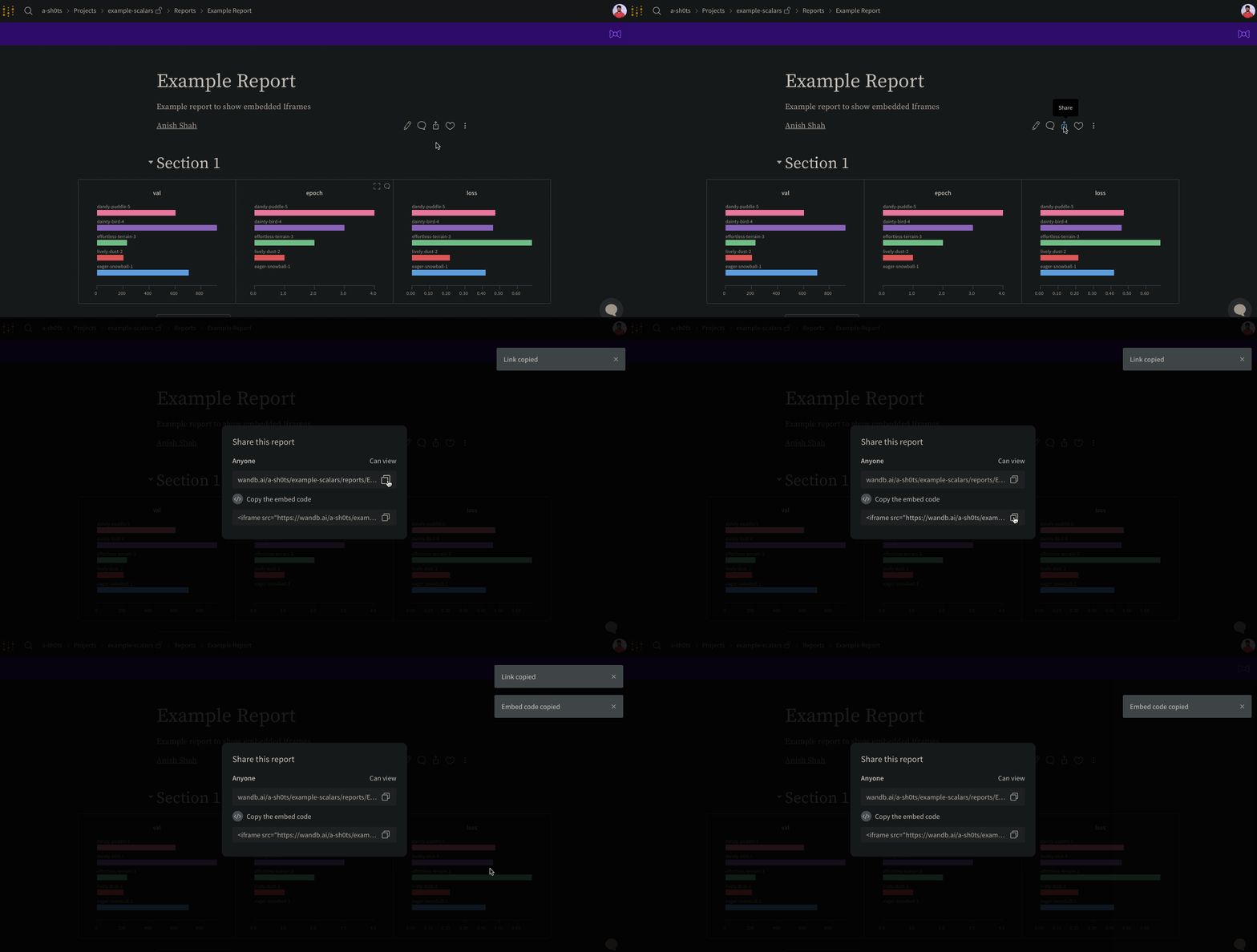
Reports の右上にある Share ボタンを選択してください。モーダルウィンドウが表示されます。モーダルウィンドウ内で Copy embed code を選択します。コピーされたコードは、インラインフレーム(IFrame)HTML 要素内でレンダリングされます。コピーしたコードを、お好みの iframe HTML 要素に貼り付けてください。埋め込み時に表示可能なのは、 public (公開)設定の Reports のみです。
Confluence
以下の操作デモは、Confluence の IFrame セル内に Reports へのダイレクトリンクを挿入する方法を示しています。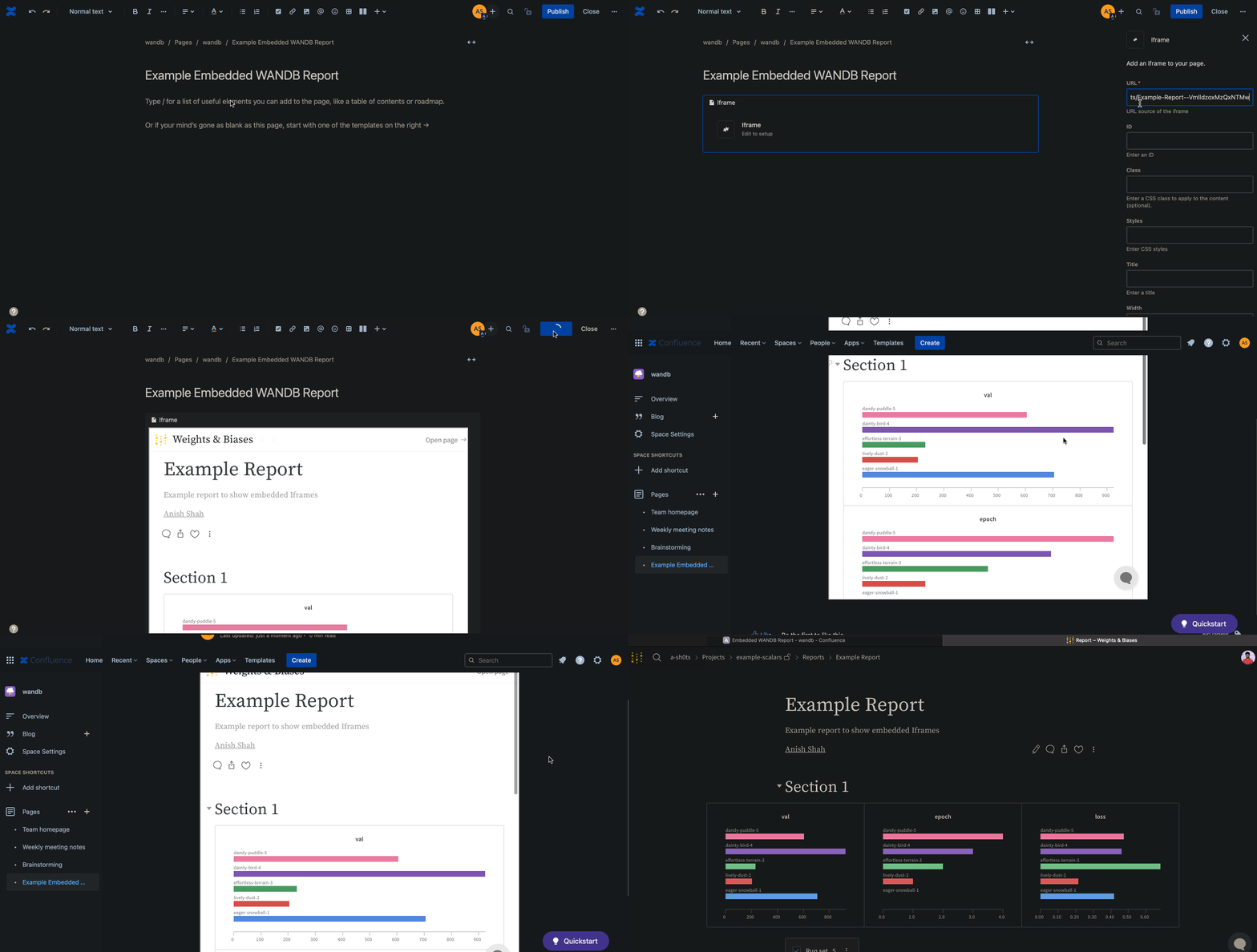
Notion
以下の操作デモは、Notion の埋め込み(Embed)ブロックと Reports の埋め込み用コードを使用して、Notion ドキュメントにレポートを挿入する方法を示しています。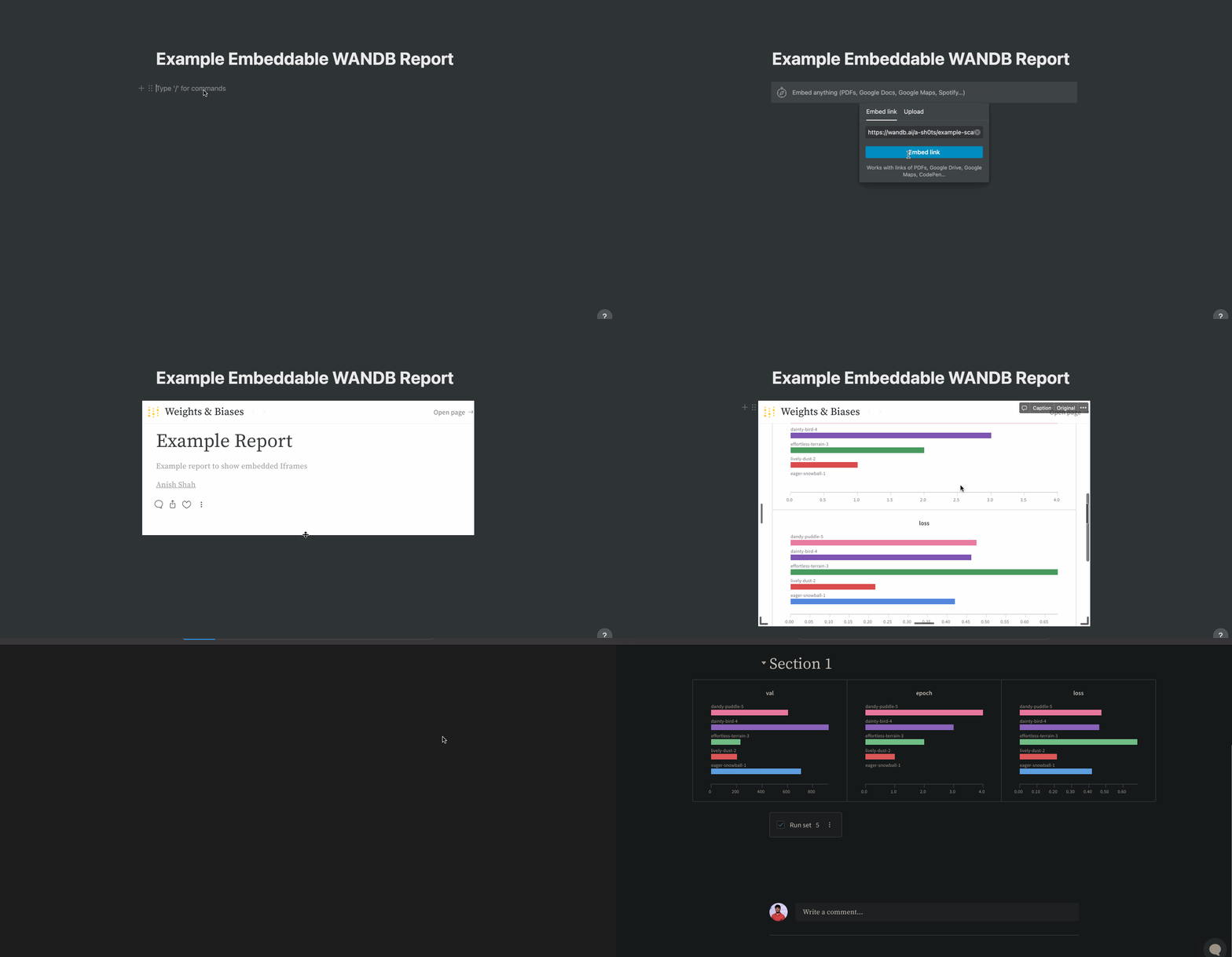
Gradio
gr.HTML 要素を使用して、Gradio アプリ内に W&B Reports を埋め込み、Hugging Face Spaces などで利用することができます。