

 Platform
 W&B Models
 W&B Weave
 W&B Inference
 W&B Training
 Release Notes
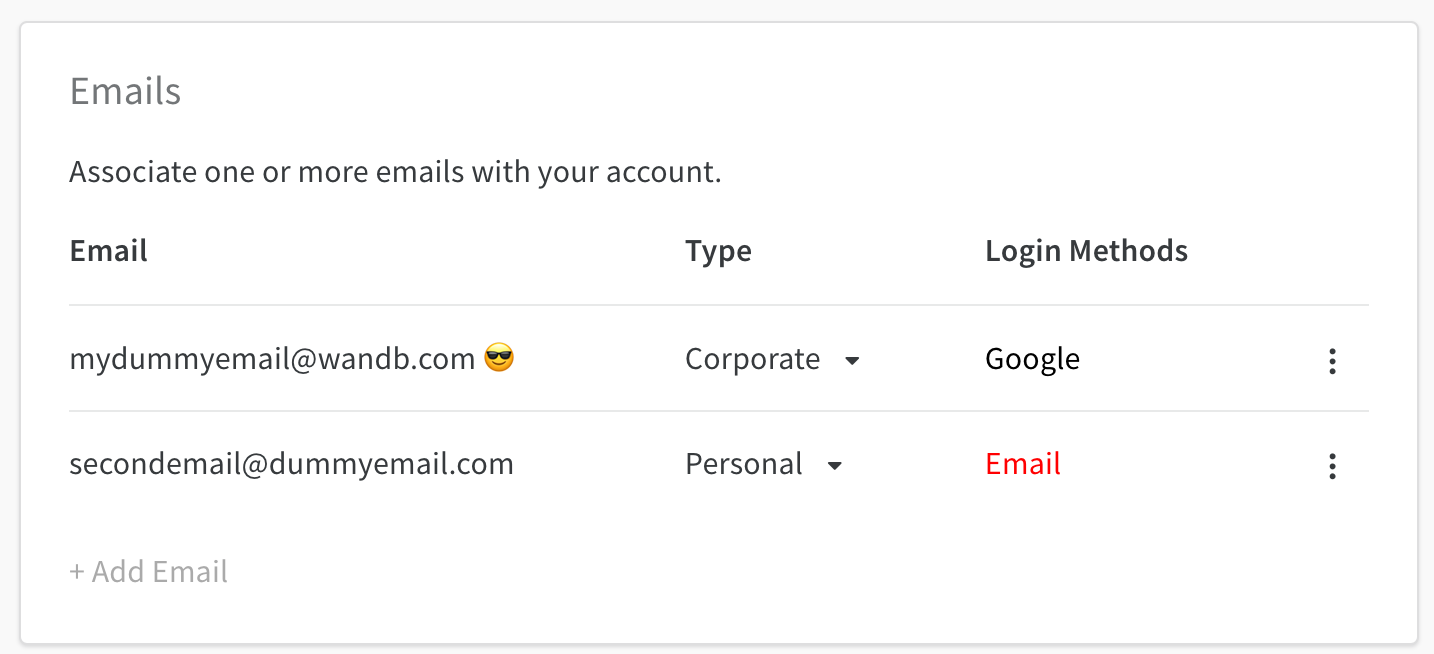
Add, delete, manage email types and primary email addresses in your W&B Profile Settings page. Select your profile icon in the upper right corner of the W&B dashboard. From the dropdown, select Settings. Within the Settings page, scroll down to the Emails dashboard:Documentation Index
Fetch the complete documentation index at: https://wb-21fd5541-weave-caching.mintlify.app/llms.txt
Use this file to discover all available pages before exploring further.
Manage primary email
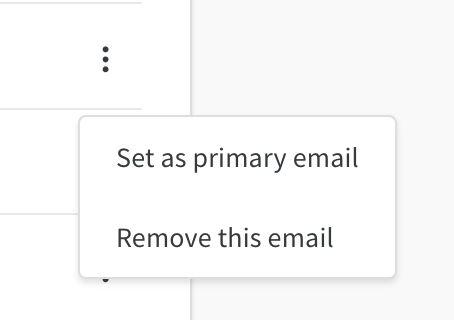
The primary email is marked with a 😎 emoji. The primary email is automatically defined with the email you provided when you created a W&B account. Select the kebab dropdown to change the primary email associated with your Weights And Biases account:Only verified emails can be set as primary
Add emails
Select + Add Email to add an email. This will take you to an Auth0 page. You can enter in the credentials for the new email or connect using single sign-on (SSO).Delete emails
Select the kebab dropdown and choose Delete Emails to delete an email that is registered to your W&B accountPrimary emails cannot be deleted. You need to set a different email as a primary email before deleting.