

 Platform
 W&B Models
 W&B Weave
 W&B Inference
 W&B Training
 Release Notes
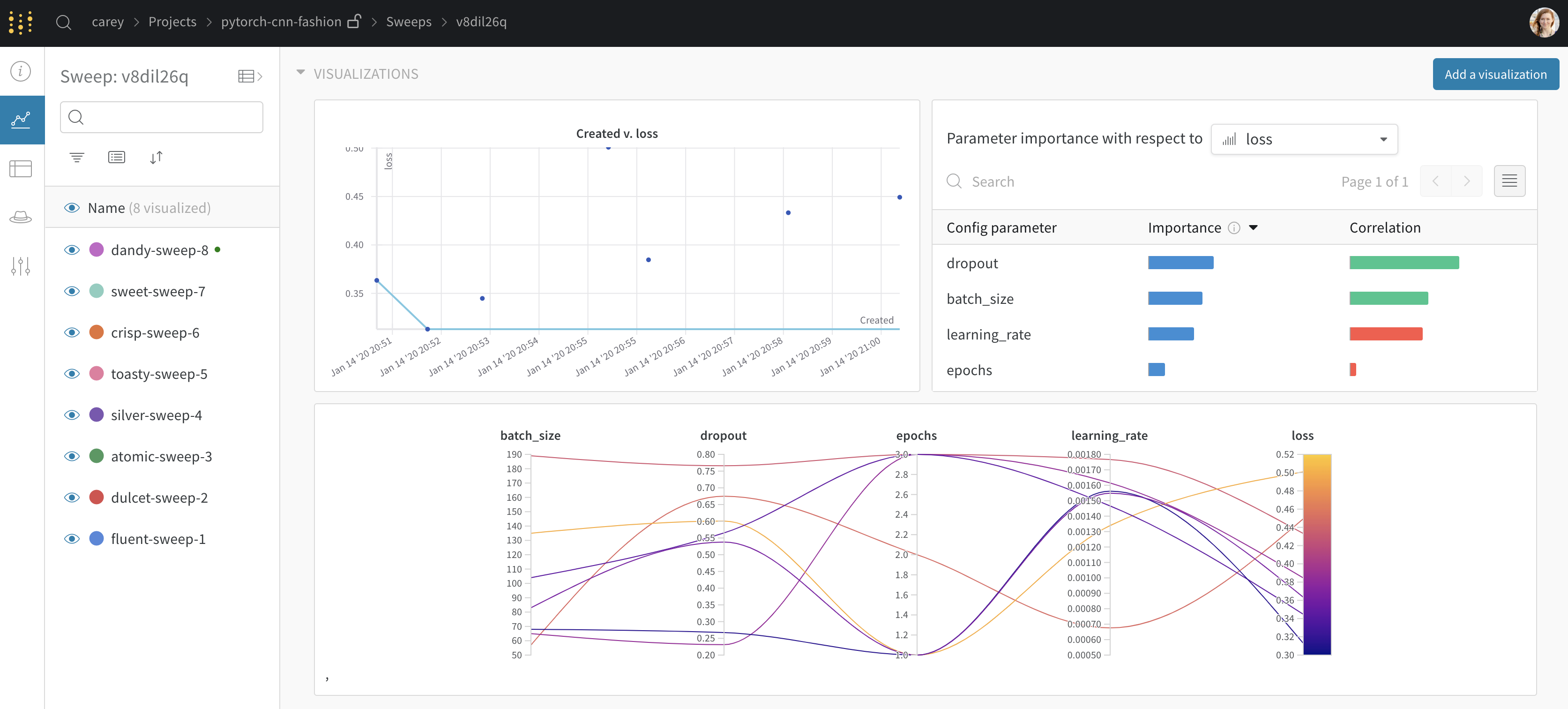
This tutorial explains how to create sweep jobs from a pre-existing W&B project. We will use the Fashion MNIST dataset to train a PyTorch convolutional neural network how to classify images. The required code an dataset is located in the W&B examples repository (PyTorch CNN Fashion) Explore the results in this W&B Dashboard.Documentation Index
Fetch the complete documentation index at: https://wb-21fd5541-weave-caching.mintlify.app/llms.txt
Use this file to discover all available pages before exploring further.
1. Create a project
First, create a baseline. Download the PyTorch MNIST dataset example model from W&B examples GitHub repository. Next, train the model. The training script is within theexamples/pytorch/pytorch-cnn-fashion directory.
- Clone this repo
git clone https://github.com/wandb/examples.git - Open this example
cd examples/pytorch/pytorch-cnn-fashion - Run a run manually
python train.py
2. Create a sweep
From your project page, open the Sweep tab in the project sidebar and select Create Sweep.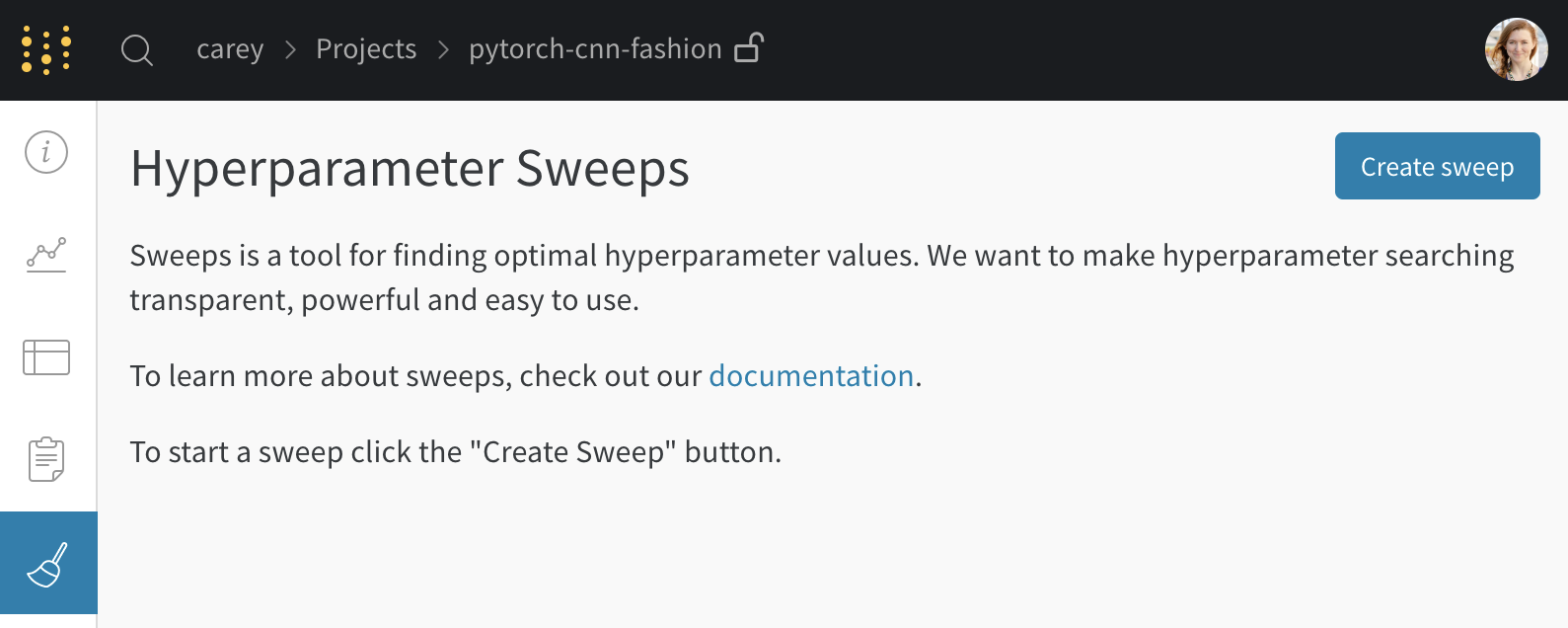
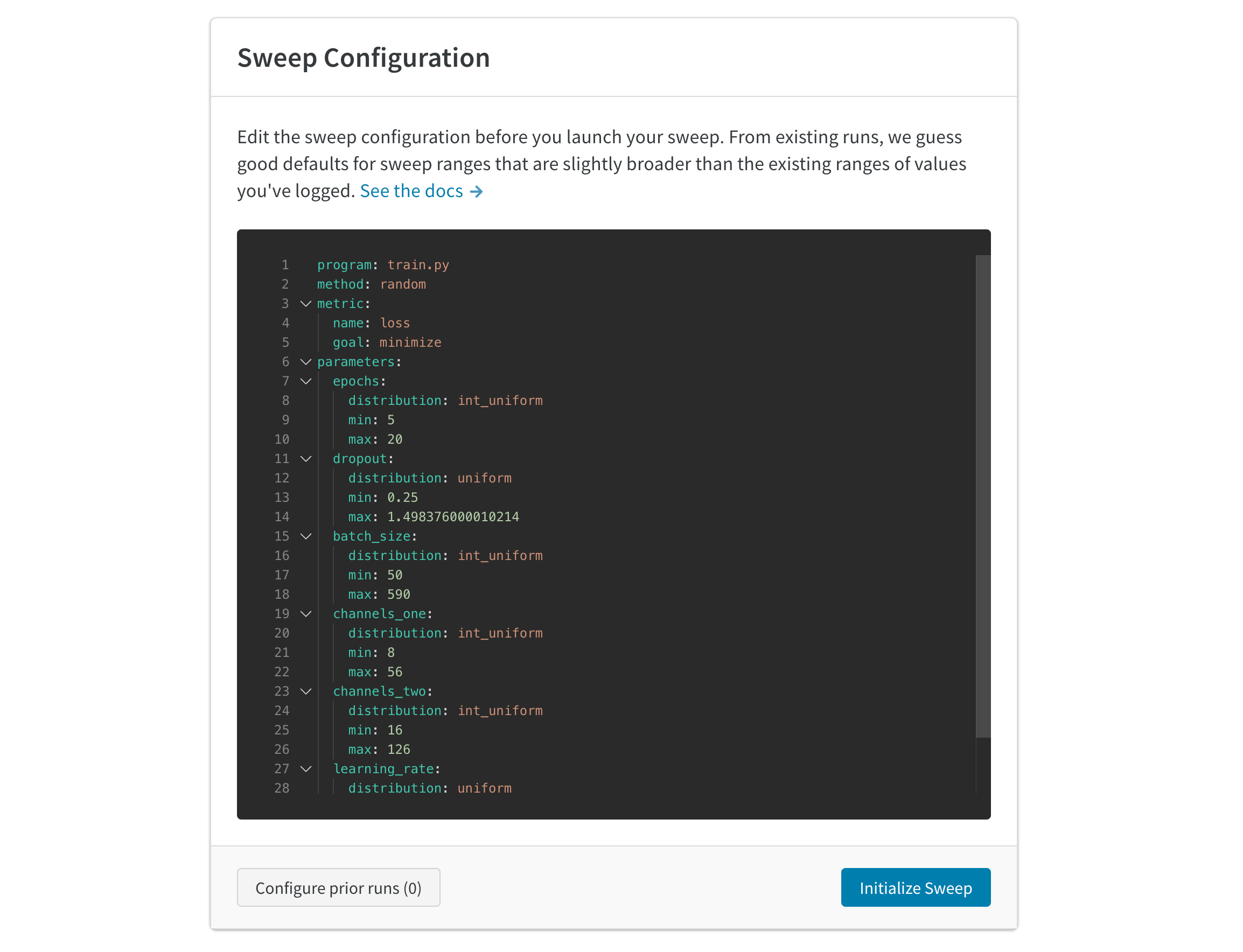
3. Launch agents
Next, launch an agent locally. You can launch up to 20 agents on different machines in parallel if you want to distribute the work and finish the sweep job more quickly. The agent will print out the set of parameters it’s trying next.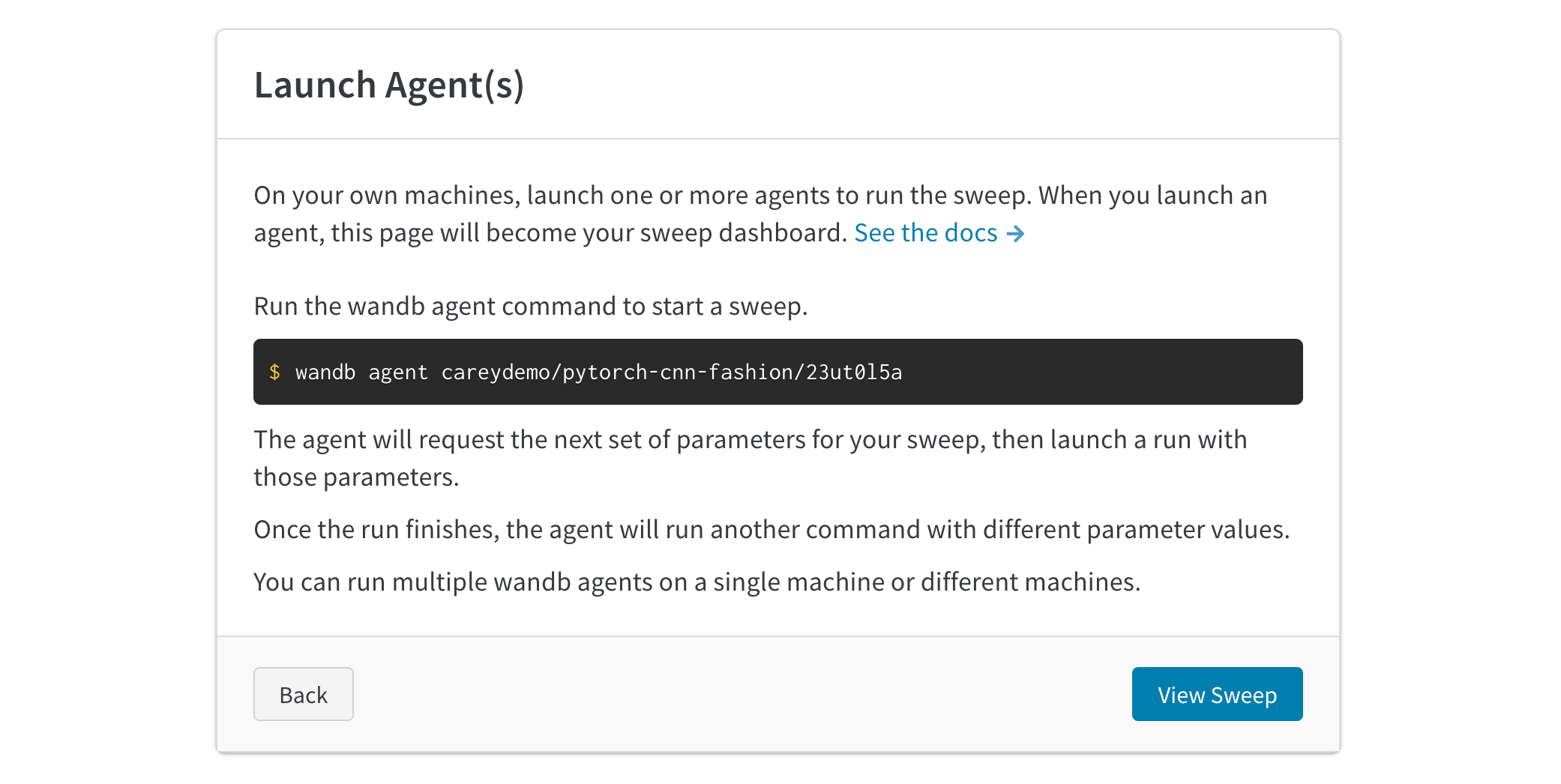
Seed a new sweep with existing runs
Launch a new sweep using existing runs that you’ve previously logged.- Open your project table.
- Select the runs you want to use with checkboxes on the left side of the table.
- Click the dropdown to create a new sweep.
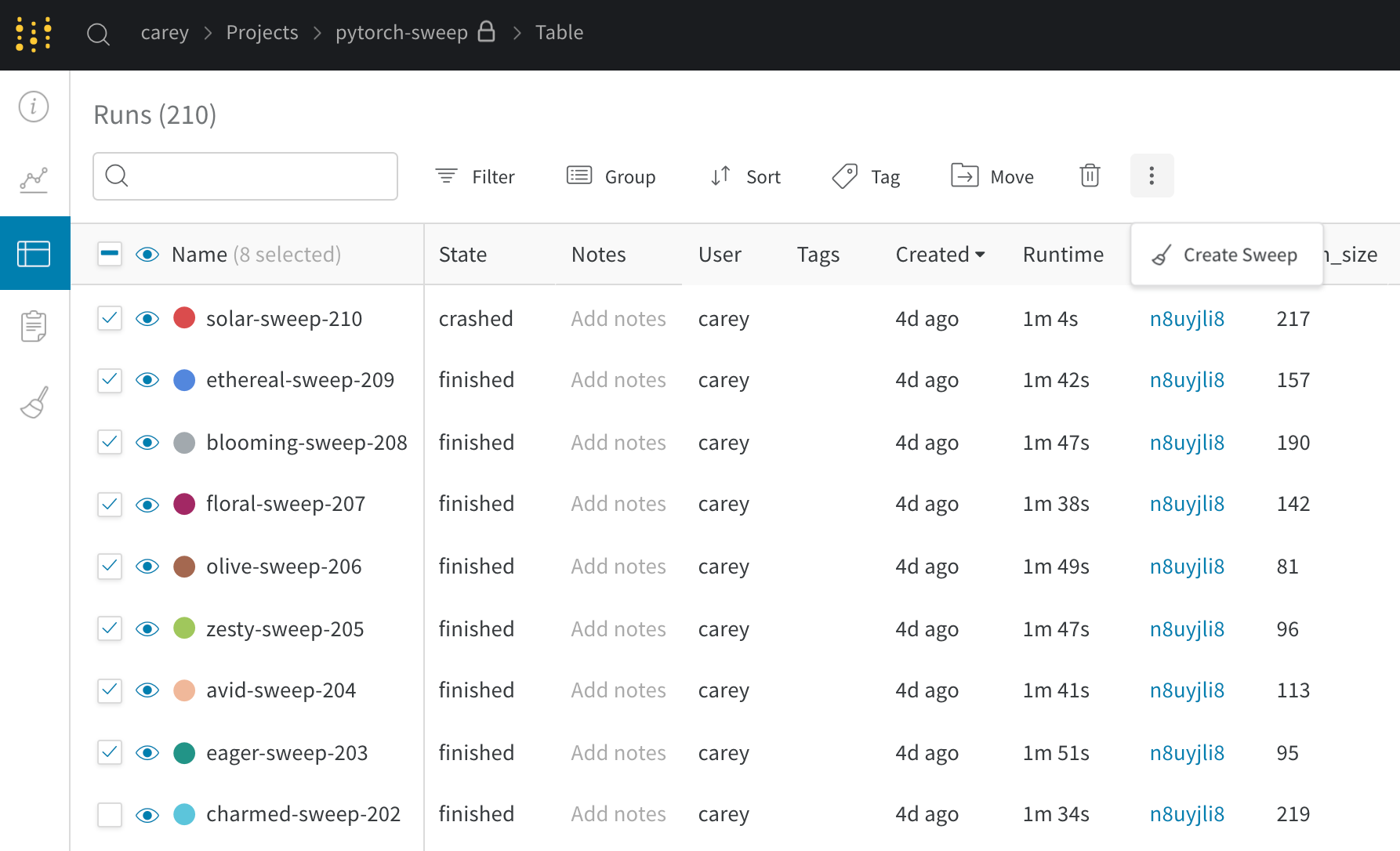
If you kick off the new sweep as a bayesian sweep, the selected runs will also seed the Gaussian Process.